Dropship Serial Numbers
Im Streckengeschäft liefert der Lieferant direkt an Ihren Kunden – aber für Garantie und Compliance brauchen Sie die Seriennummern. Dropship Serial Numbers löst genau dieses Problem.
Ihr Nutzen
Seriennummern bei der Dropship-Validierung erfassen. Losdatensätze werden automatisch erstellt.
Lagerverfügbarkeitswarnungen intelligent unterdrückt. Duplikaterkennung bleibt aktiv.
Funktionen im Detail
Dropship Serial Numbers
v18.0
Enter serial and lot numbers on dropship delivery orders without stock availability checks. Track products shipped from your vendor to your customer without handling the goods yourself.
The Problem
In standard Odoo, entering serial numbers on dropship deliveries triggers availability warnings because the system checks if the serial number exists in stock. Since dropship goods never pass through your warehouse, this check is meaningless and blocks the user from entering serial numbers that appear on the vendor invoice.
The Solution
This module skips the stock availability check for dropship deliveries while keeping duplicate serial number detection. Serial and lot numbers can be entered via the standard "Details" dialog on the delivery order.
Features
- Serial and lot number entry on dropship delivery orders via the Details dialog
- No stock availability warnings for dropship serial numbers
- Duplicate detection: warns if a serial number was already delivered in another picking
- Works with both serial tracking and lot tracking products
- No warehouse inventory impact — purely for documentation and traceability
- Lot records created automatically upon validation
How to enter serial numbers
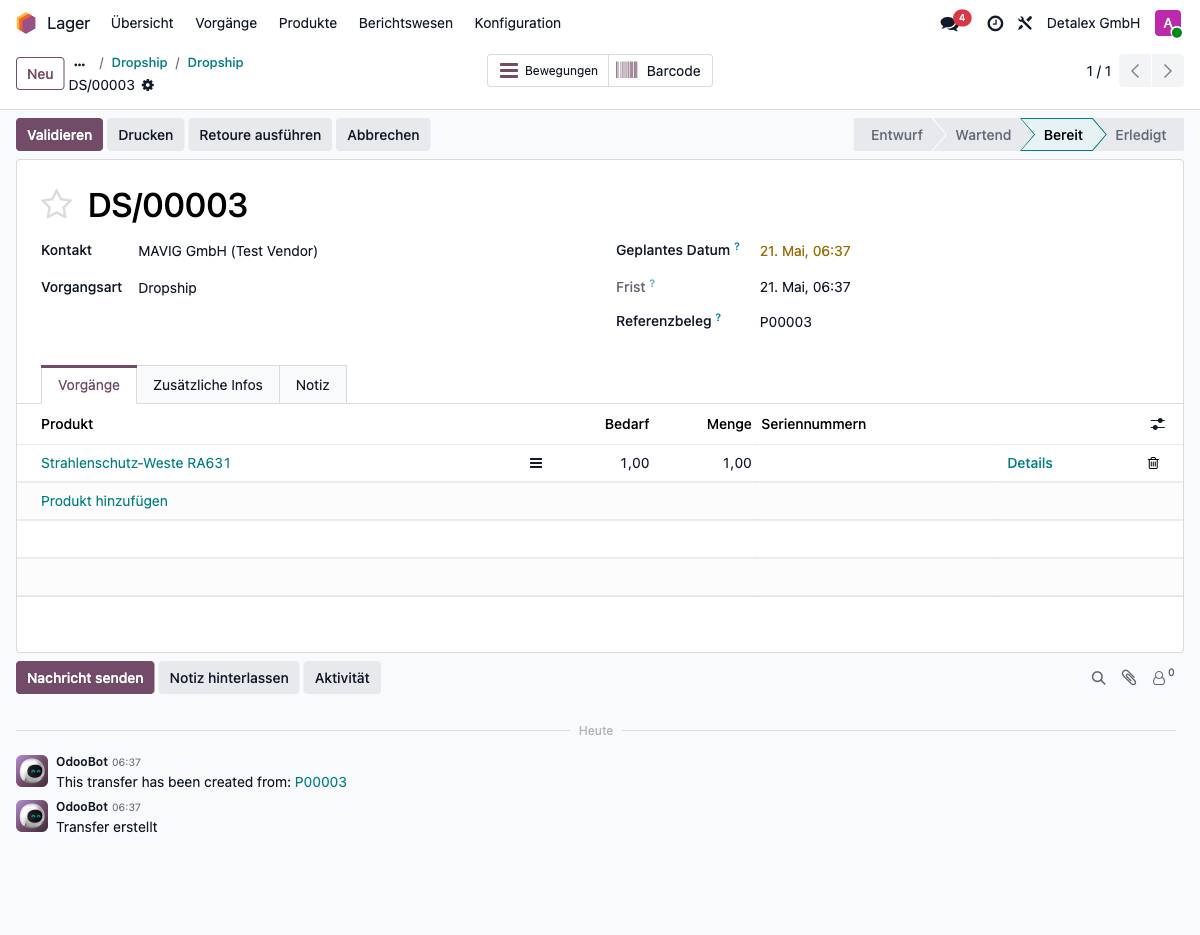
Step 1: Open the dropship delivery order
After confirming the sale order and purchase order, navigate to Inventory → Dropship. Open the delivery order for the tracked product.
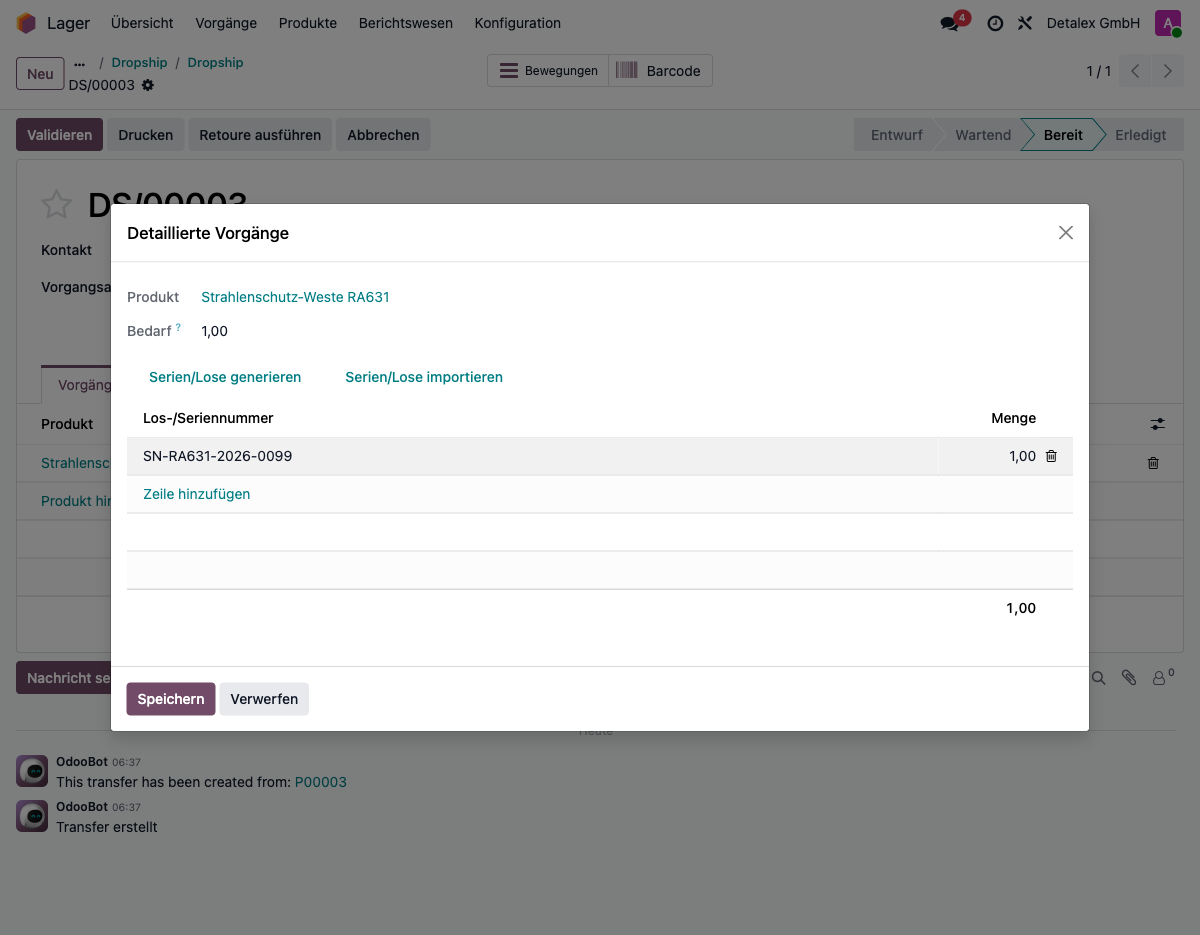
Step 2: Enter the serial number via Details
Click the "Details" button on the product line. In the detailed operations dialog, enter the serial or lot number. The system will not warn about stock availability — only about duplicate serial numbers already delivered in other pickings.
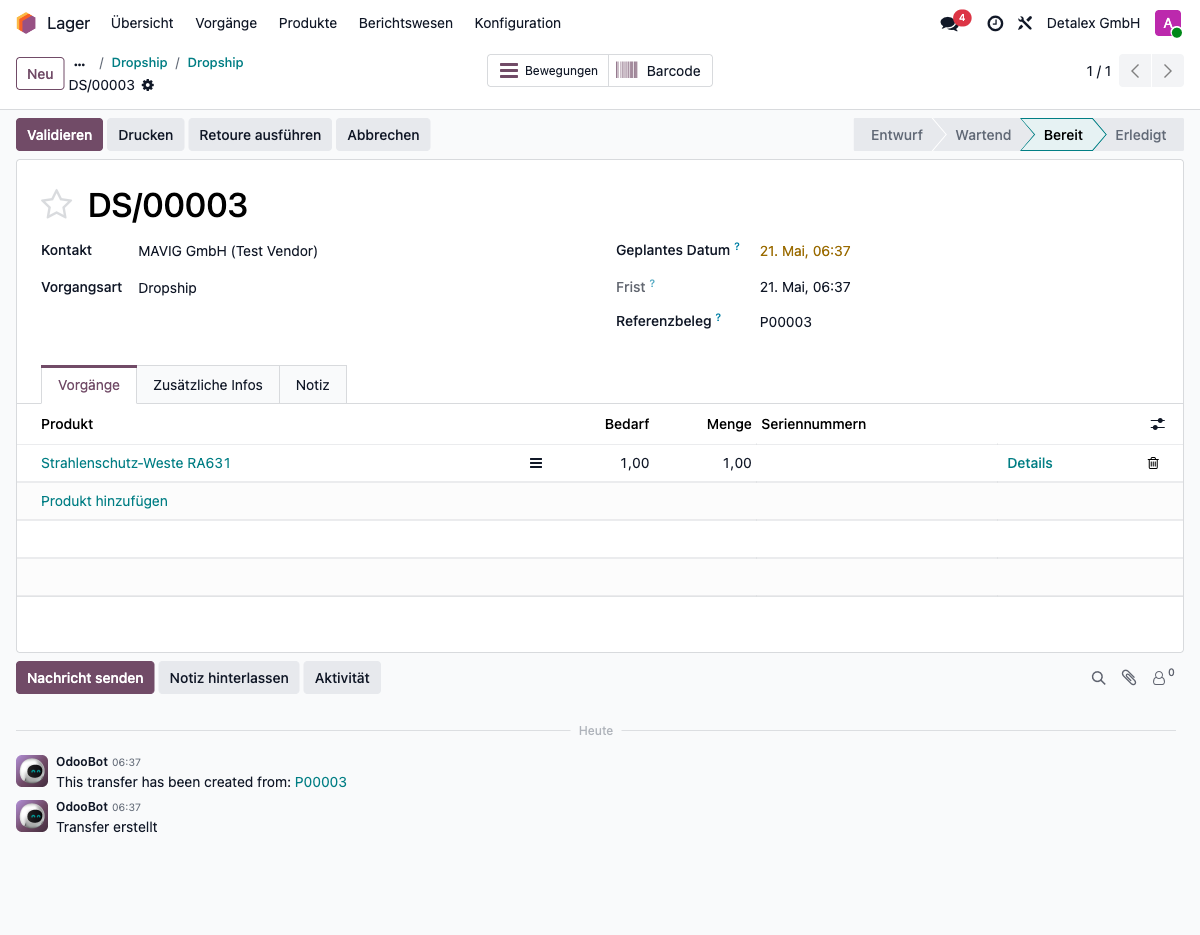
Step 3: Serial number is recorded
After entering the serial number, it is visible on the delivery order line.
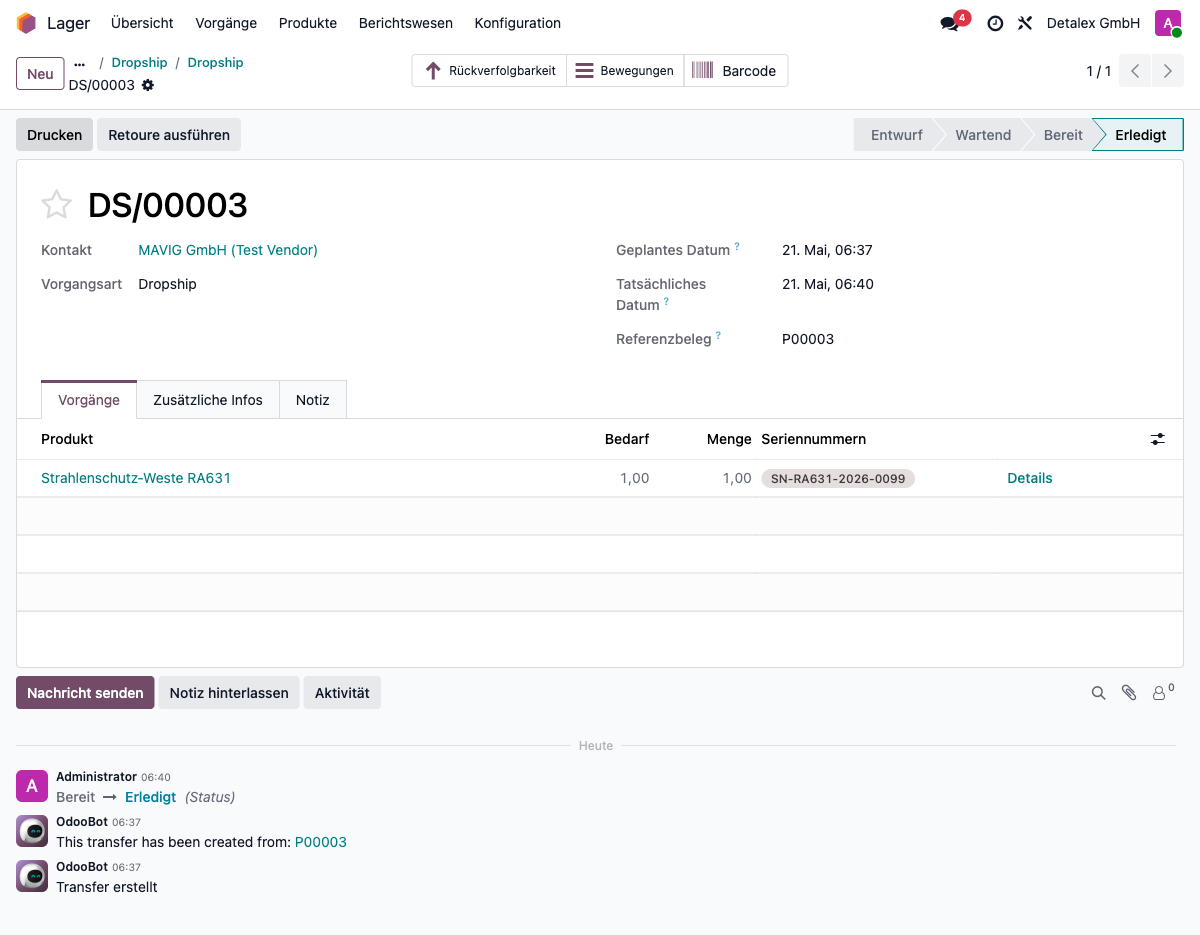
Step 4: Validate the delivery
Click "Validate" to confirm the delivery. The serial number is now recorded and linked to the product for warranty, returns, and traceability.
Credits
Developed by Detalex GmbH – detalex.de
Förderfähige Maßnahme
Die Einführung und Anpassung von ERP-Systemen wie Odoo ist in Deutschland förderfähig. Unternehmen können von staatlichen Förderprogrammen profitieren – z. B. über den ERP-Förderkredit Digitalisierung der KfW, Landesprogramme wie den Digitalbonus Bayern oder den Digital-Zuschuss Hessen sowie die kostenlosen Beratungsangebote der Mittelstand-Digital Zentren des BMWK (Stand: Juli 2026). Wir unterstützen Sie gerne bei der Antragstellung und beraten Sie zu den Möglichkeiten für Ihr Unternehmen.
Interesse geweckt?
Lassen Sie sich unverbindlich beraten – wir zeigen Ihnen, wie dieses Modul in Ihre Prozesse passt.
Beratungsgespräch vereinbaren